Answer in one look.
Each ask lists its choices, so you can reply without scrolling back through the conversation.
 Tracker Trapper
Claude Code and Codex agents report to one checklist in your Mac menu bar. When one stops for you, it says exactly what it needs: a decision, a check or a blocker.

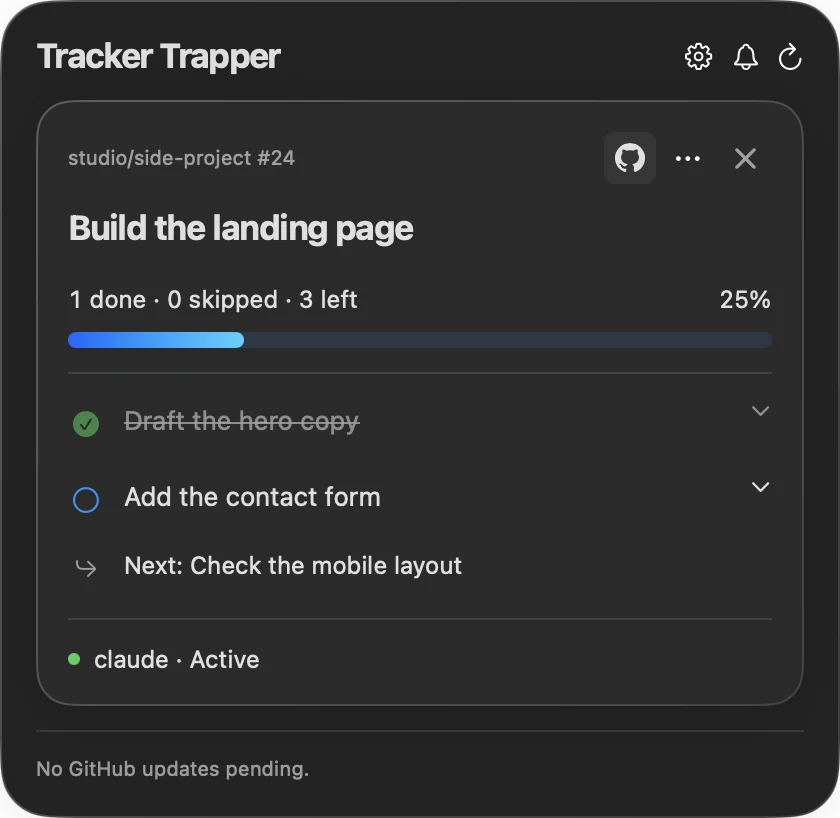
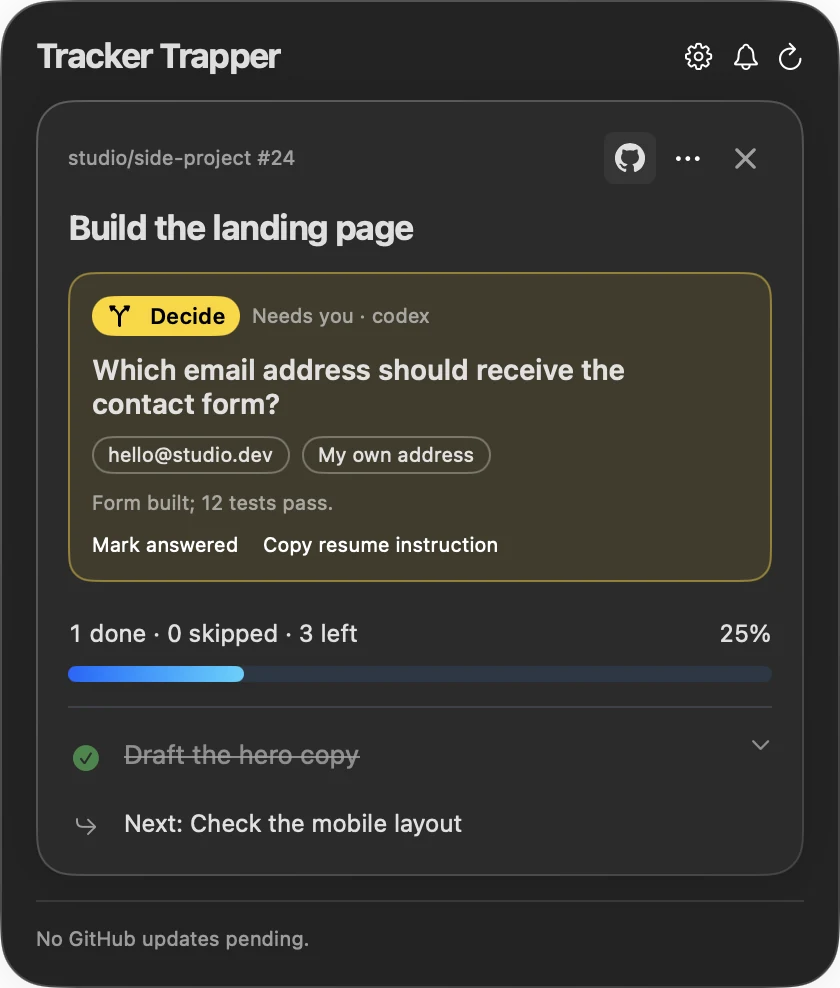
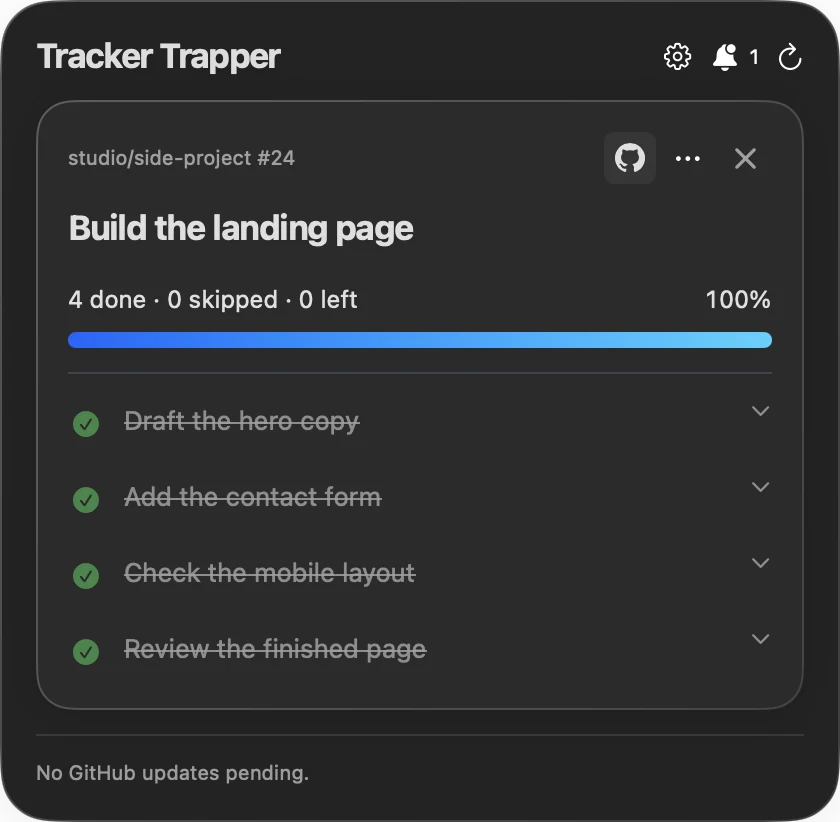
The real Mac panel, shown with demo data
Each ask lists its choices, so you can reply without scrolling back through the conversation.
Codex and Claude Code sessions report into one menu-bar checklist.
Tasks close when their check passes, with evidence. Going quiet never counts.
Plans live locally. GitHub and iPhone sync only when you turn them on.
Three agents are running. One finished an hour ago. One is mid-refactor. One asked you a question twenty minutes ago, three tabs back, and has been waiting ever since.
Nothing on your screen tells you which is which.
Follow the loose thread. ↓Your agents report into one checklist in your menu bar as they work. A task closes only when its check passes, with the evidence attached.
An agent that goes quiet never gets a checkmark. Neither does one that just says it’s finished.
Keep the work in sight. ↓Connect Claude Code or Codex once, run the reporting test, and the next agent that needs you shows up in your menu bar.
Download Mac previewMac setup guideApple silicon · macOS 13+ · Free early preview · Build 3 adds Mobile sync for the iPhone beta
Unzip, move TrackerTrapper.app to Applications, then open Settings → Setup. No source build required.
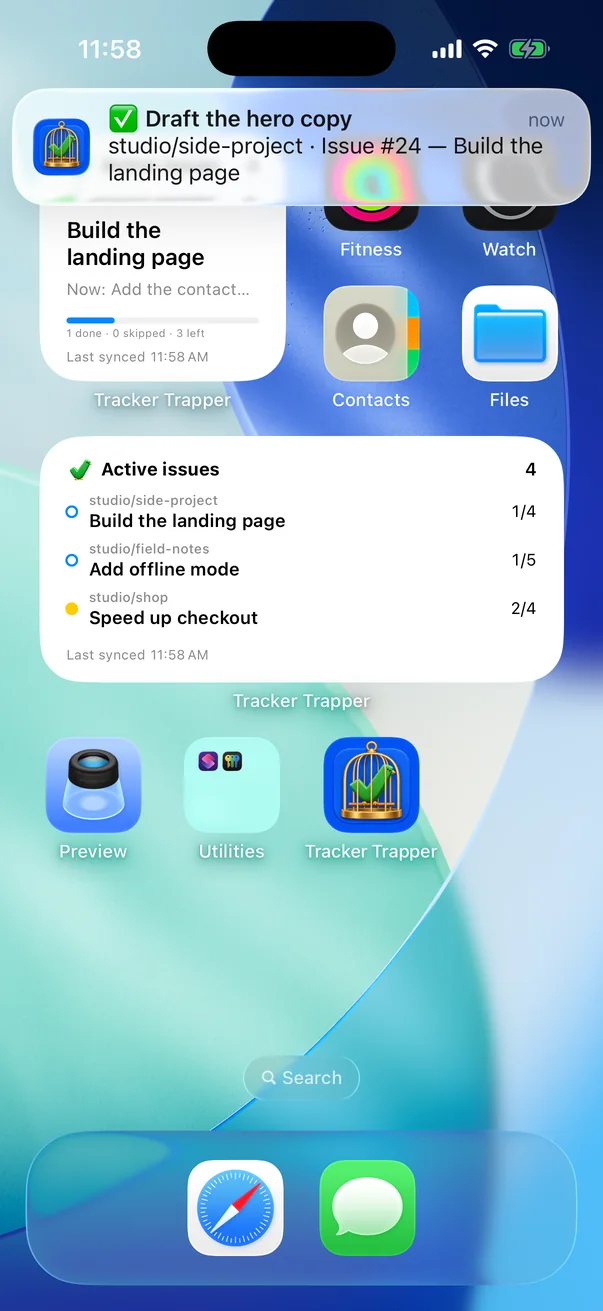
Your lock screen tells you the moment an agent stops with a question only you can answer. Widgets show where every plan stands, so you know when to walk back.
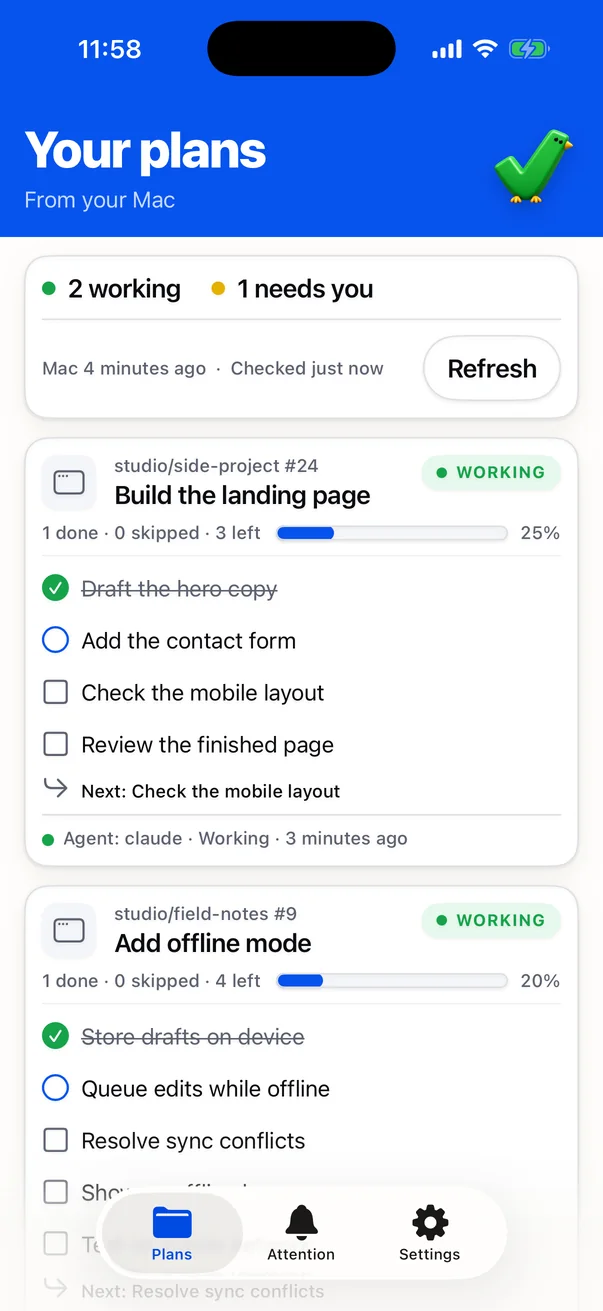
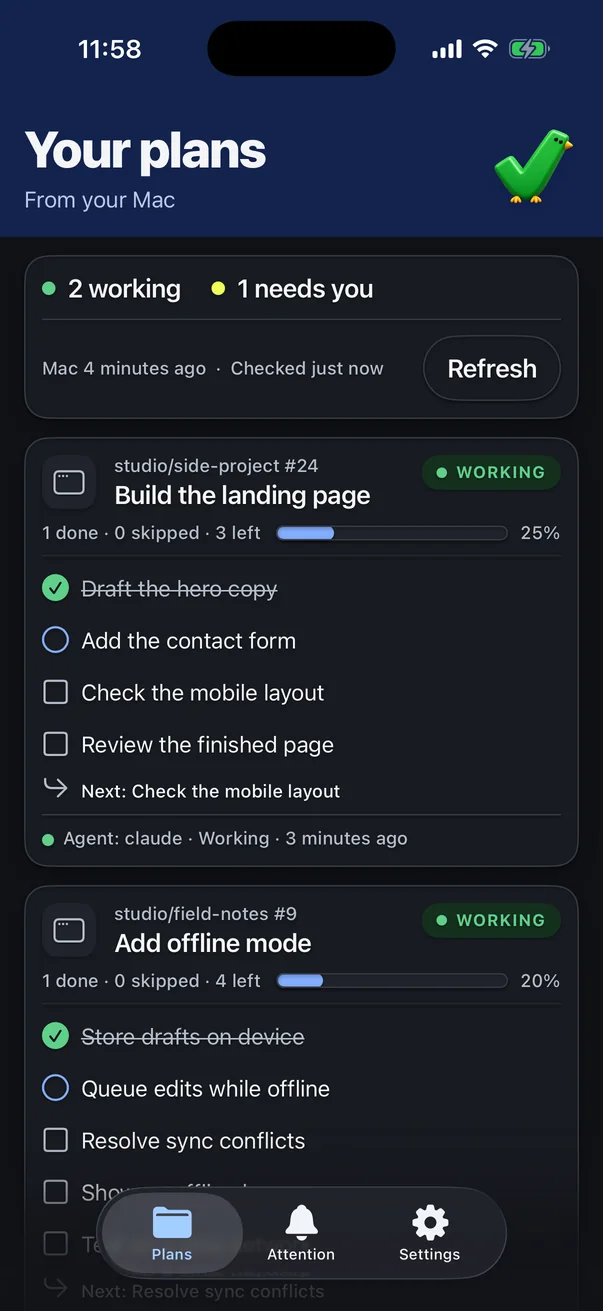
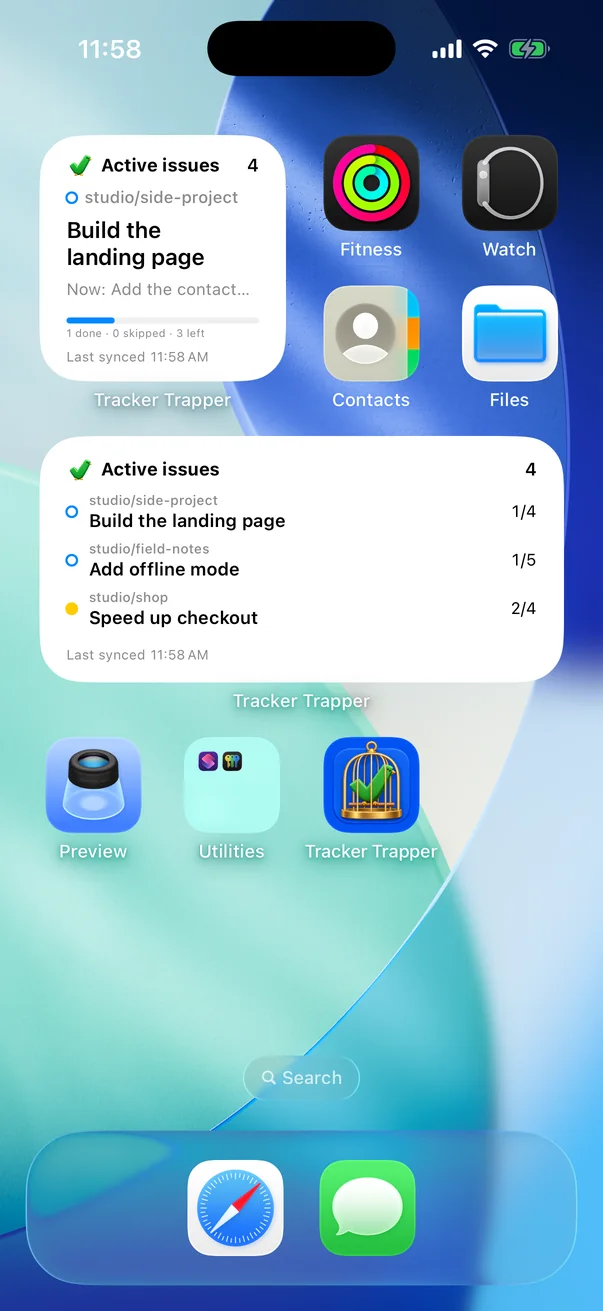
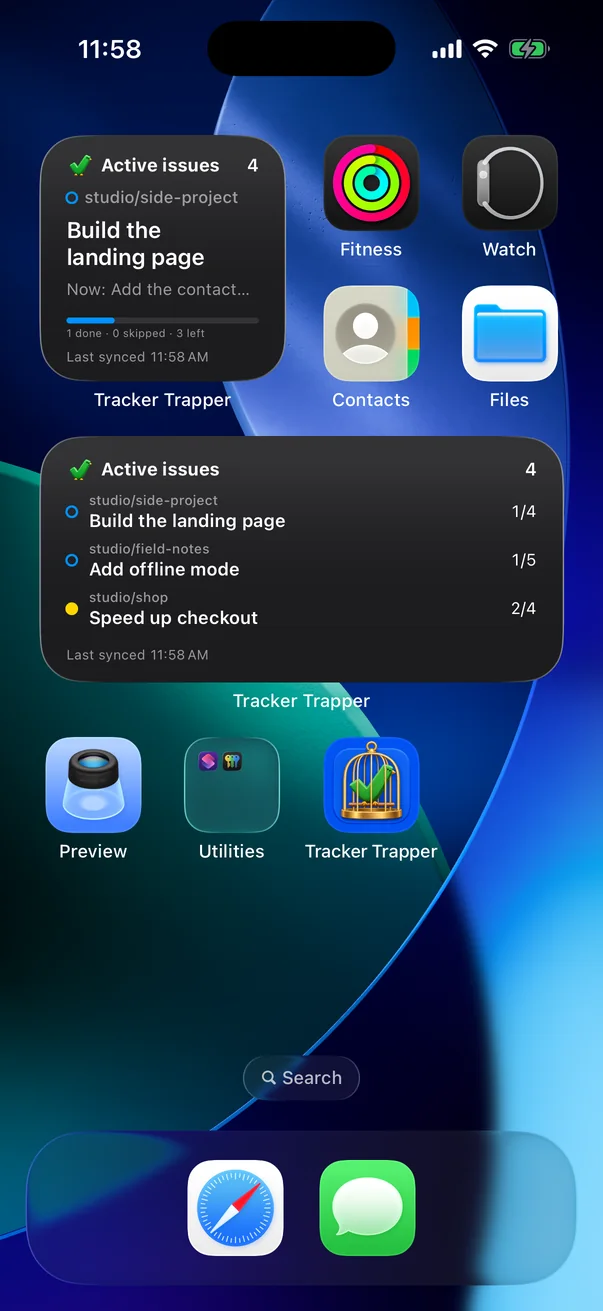
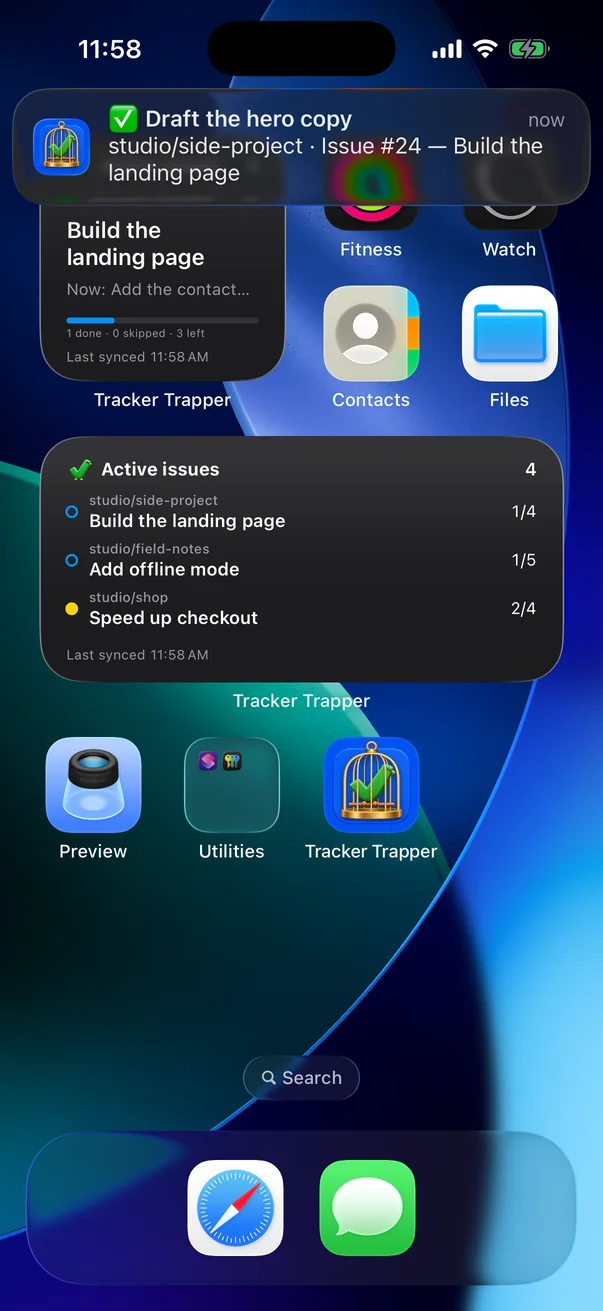
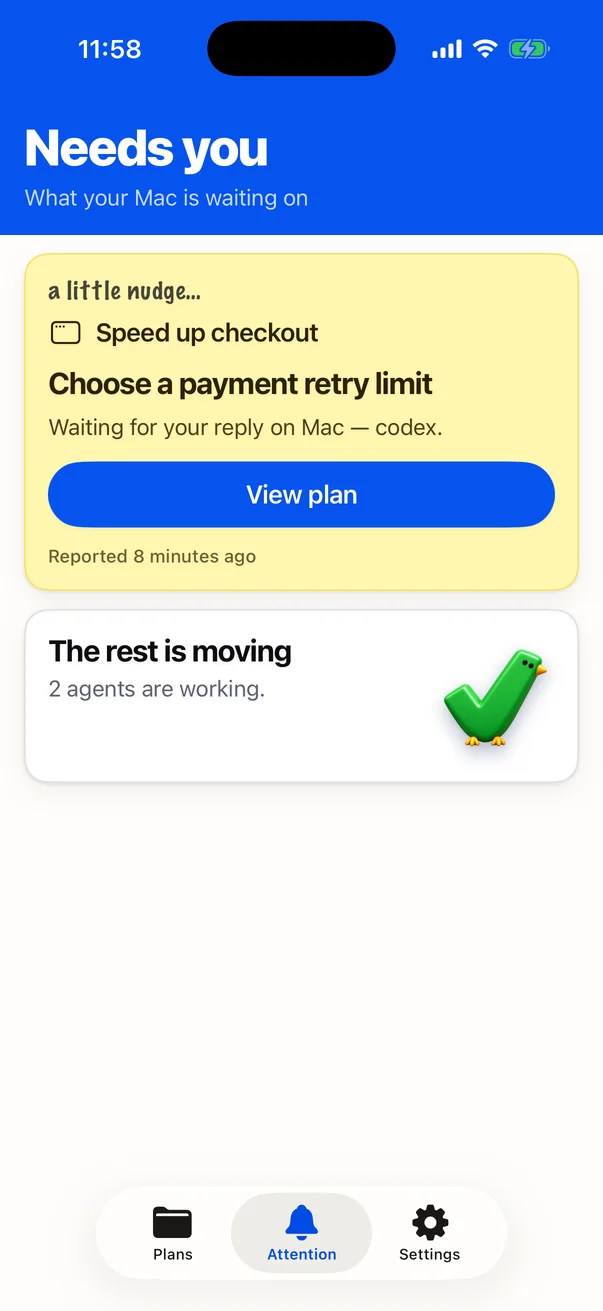
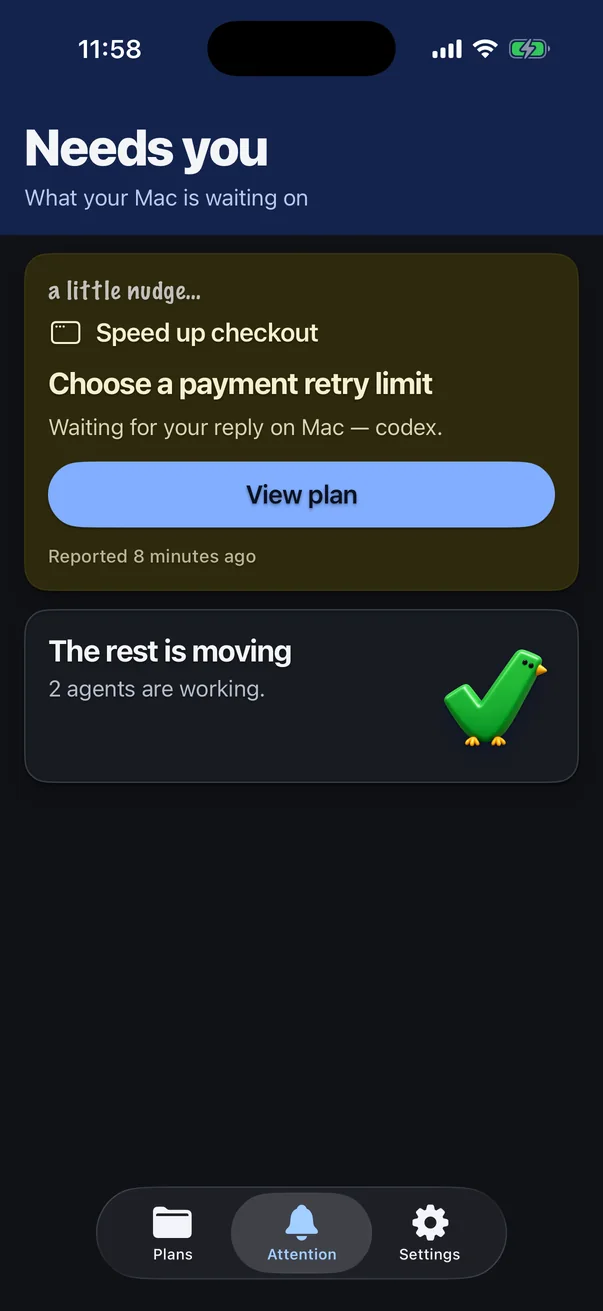
Small and medium sizes show your Active issues, the current task and progress. Tap one to open it.
A dedicated tab puts what your agents need from you at the top.
Choose alerts for finished tasks and plans, and for when an agent stops with a question only you can answer.
beta [at] trackertrapper.com Invite-only TestFlight beta · iPhone, iOS 17+ · Pairs with Tracker Trapper on your Mac.
Read-only: the phone shows progress, it never edits tasks or approves agent actions.
Track as much as you like on your Mac. Add the iPhone companion when you want your progress to follow you.
Free
Early preview · Apple silicon · macOS 13+
$2.99/month
or $24/year at launch
No payment is taken during the beta.
Download and unzip the Mac preview, move the app to Applications, and open Settings → Setup. Follow the Mac setup guide to connect your agent. The app includes its CLI and MCP server. Local plans do not require GitHub; GitHub features need GitHub CLI authentication, and the sync script also uses jq.
Tracker Trapper supports reporting workflows for Codex and Claude Code. Connect the integration and give your agent the reporting instructions so its progress appears in the menu bar. It doesn’t automatically follow every conversation.
Your local task lists and registered GitHub issue checklists, reported task progress, blockers, and what comes next. Progress is stored locally on your Mac. GitHub synchronization is an explicit step in the current workflow.
The Mac app is free. The iPhone companion (app, widgets and push notifications) will be $2.99/month or $24/year at launch, and it’s free during the invite-only beta. Your coding tools and their accounts are separate.
Yes, in an invite-only TestFlight beta. It mirrors your Mac’s Active plans, adds Home Screen widgets and sends notifications when an agent is waiting on you. It’s read-only. See how it works.